The Context
This was my first formal UX project, completed as part of the University of Washington's Visual and User Experience Design Professional Certificate.
Working remotely with a team of four designers, we set out to explore a problem space that resonated with all of us: professional growth.
The Problem
"How might we help professionals become aware of their blind spots and accelerate learning soft skills?"
Technical skills get you the job. Soft skills get you promoted. Yet most professionals have no idea which interpersonal skills are holding them back—or how to improve them.
Research
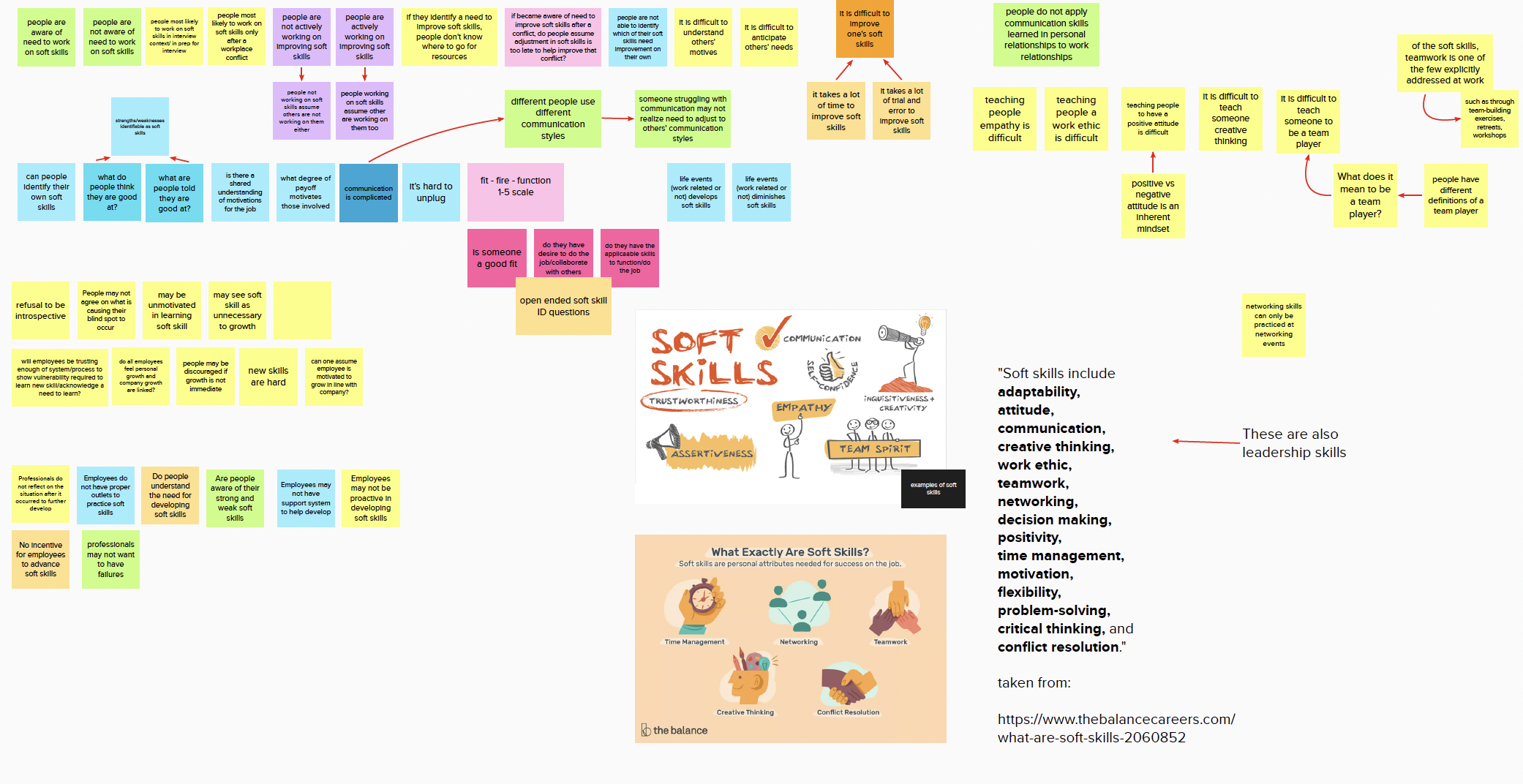
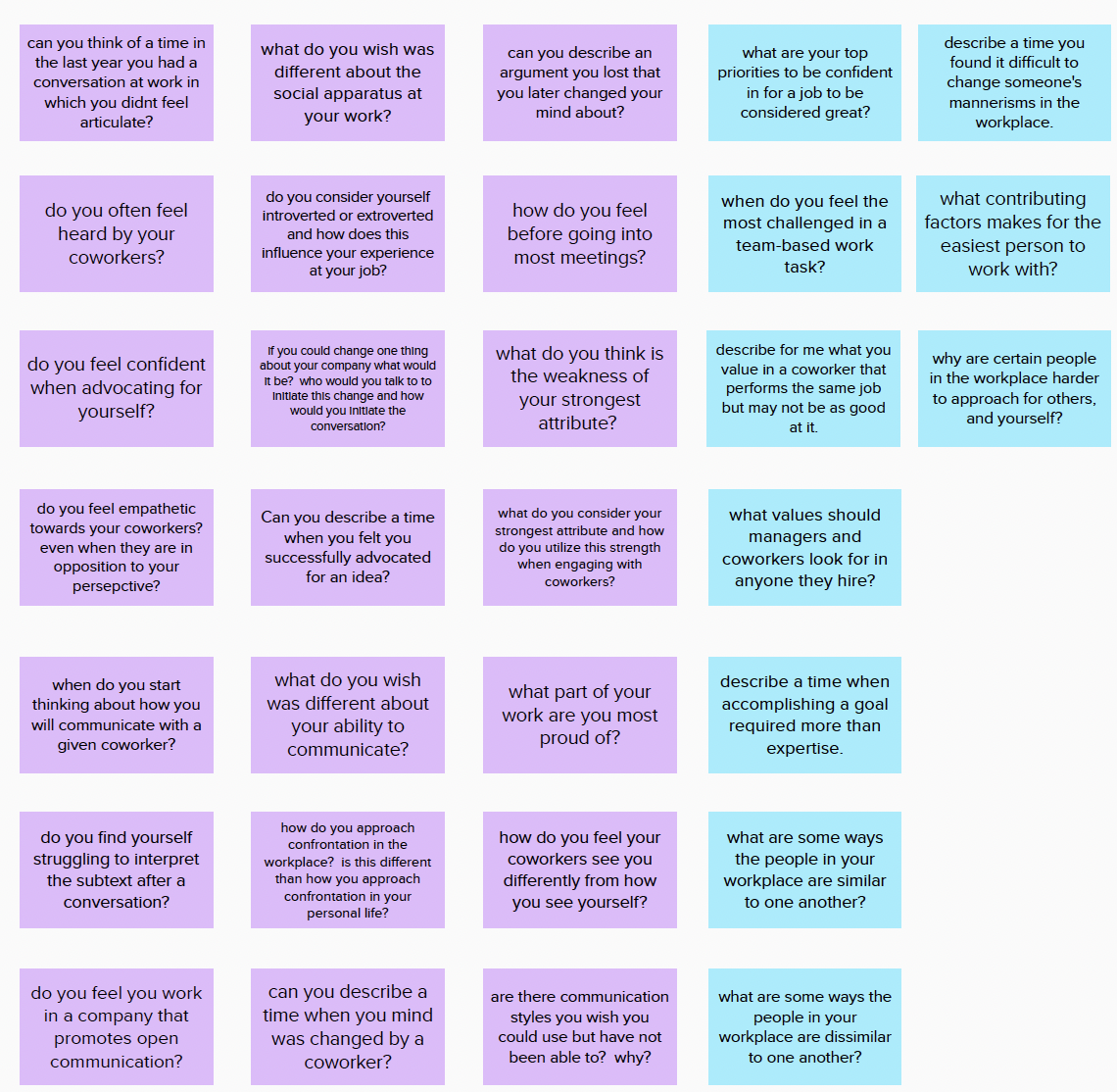
We interviewed 12 professionals across industries to understand how people perceive, develop, and struggle with soft skills.
What We Found
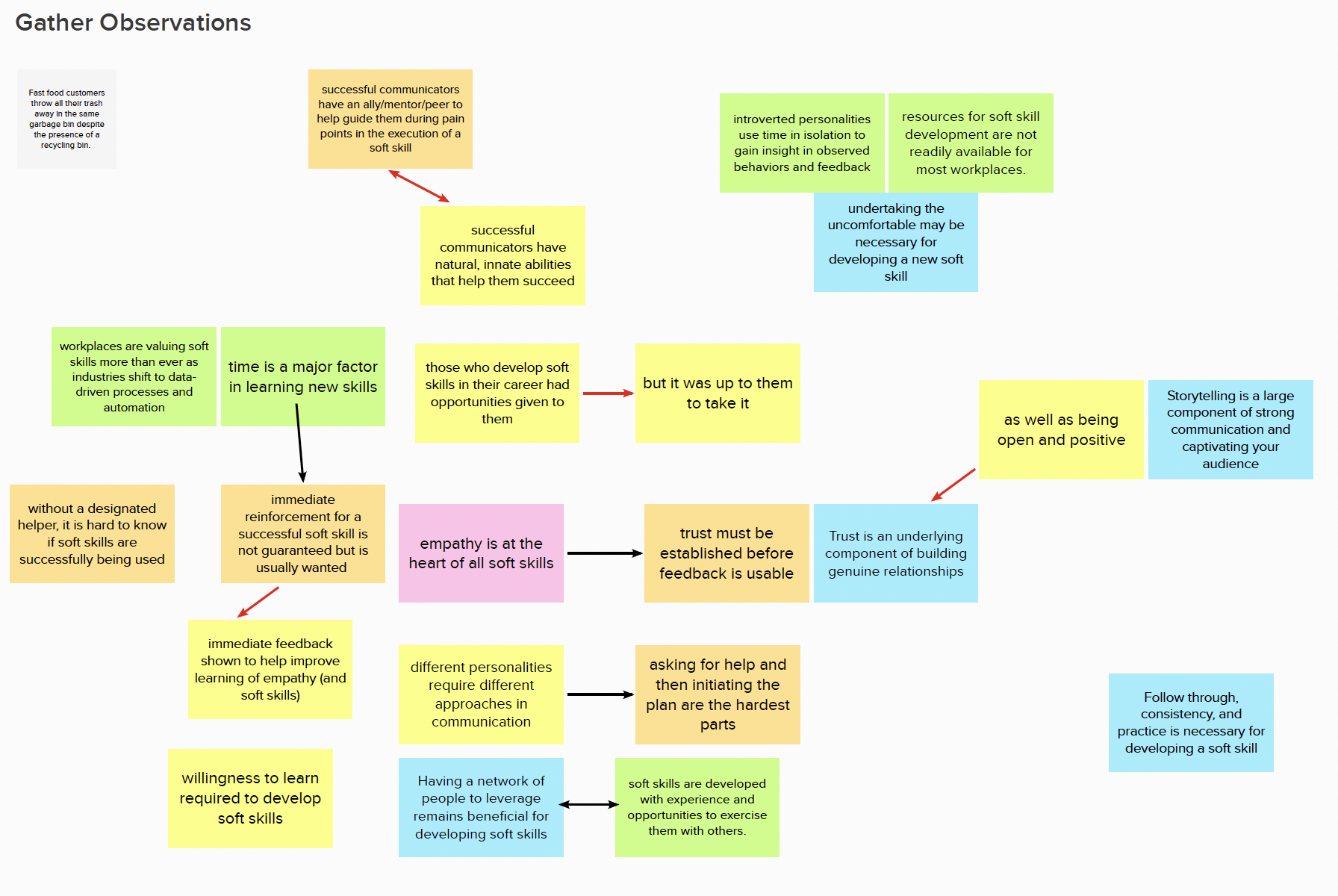
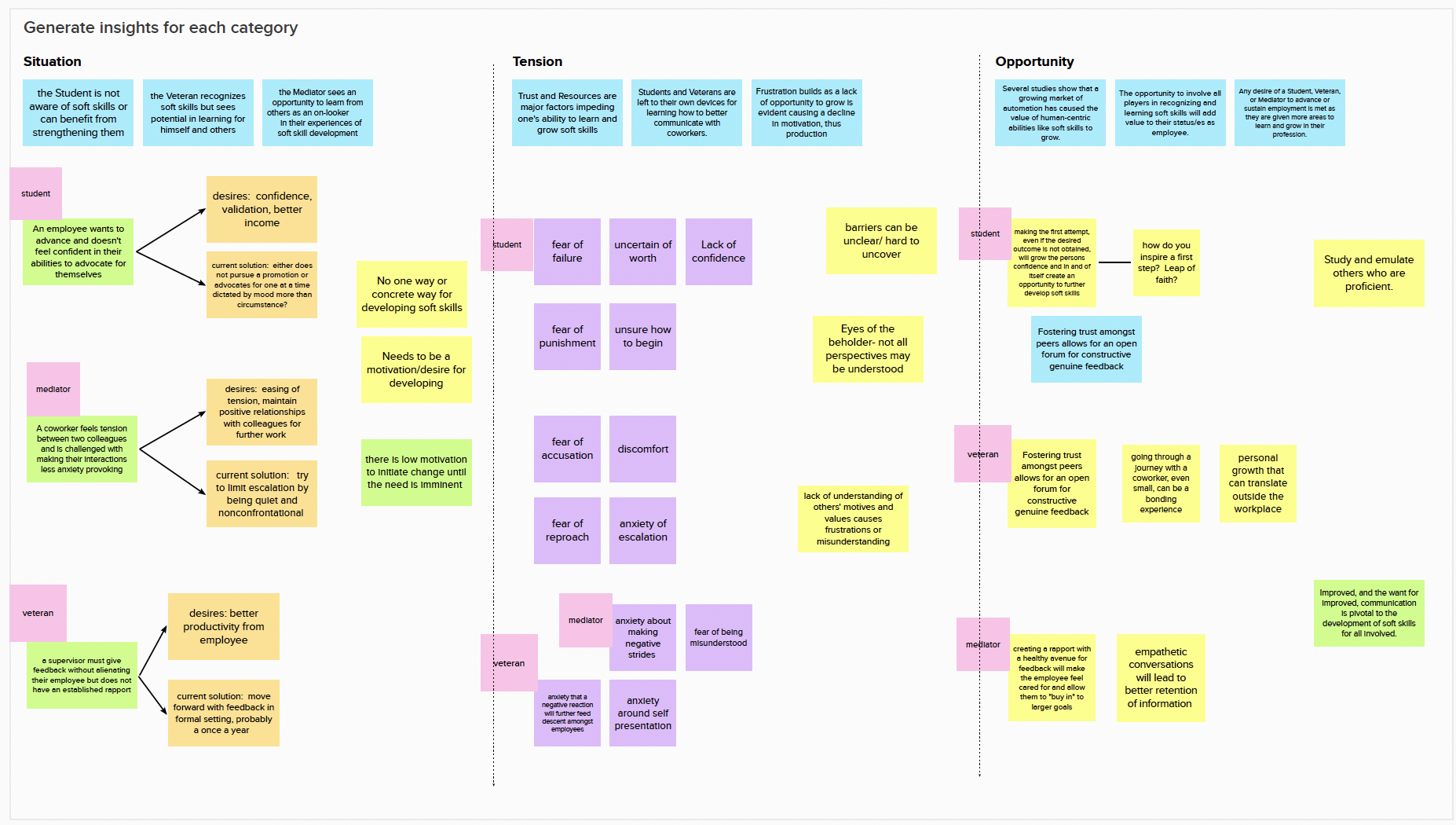
After synthesizing hours of interviews, clear patterns emerged. We documented our observations and distilled them into actionable insights.
Who We're Designing For
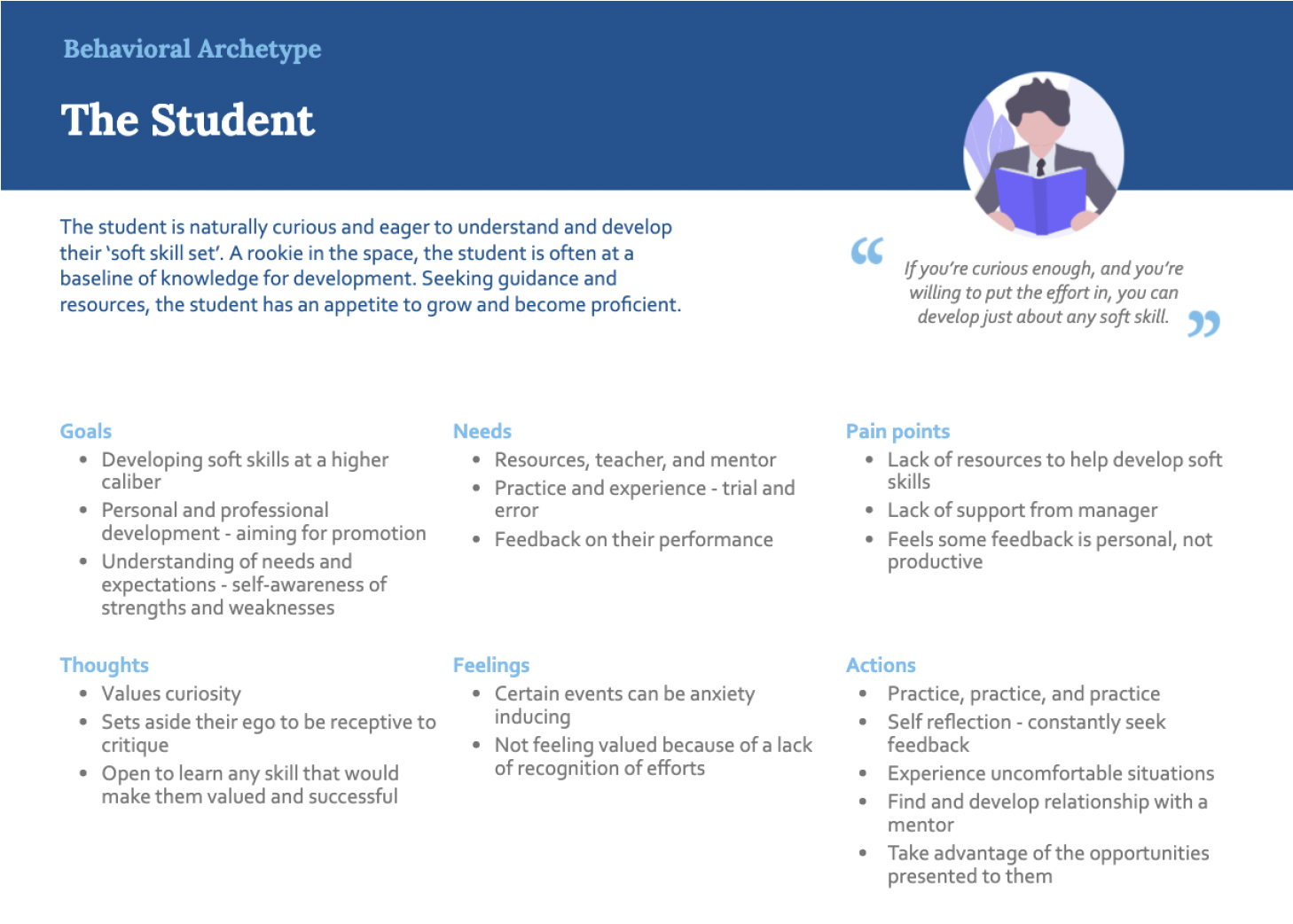
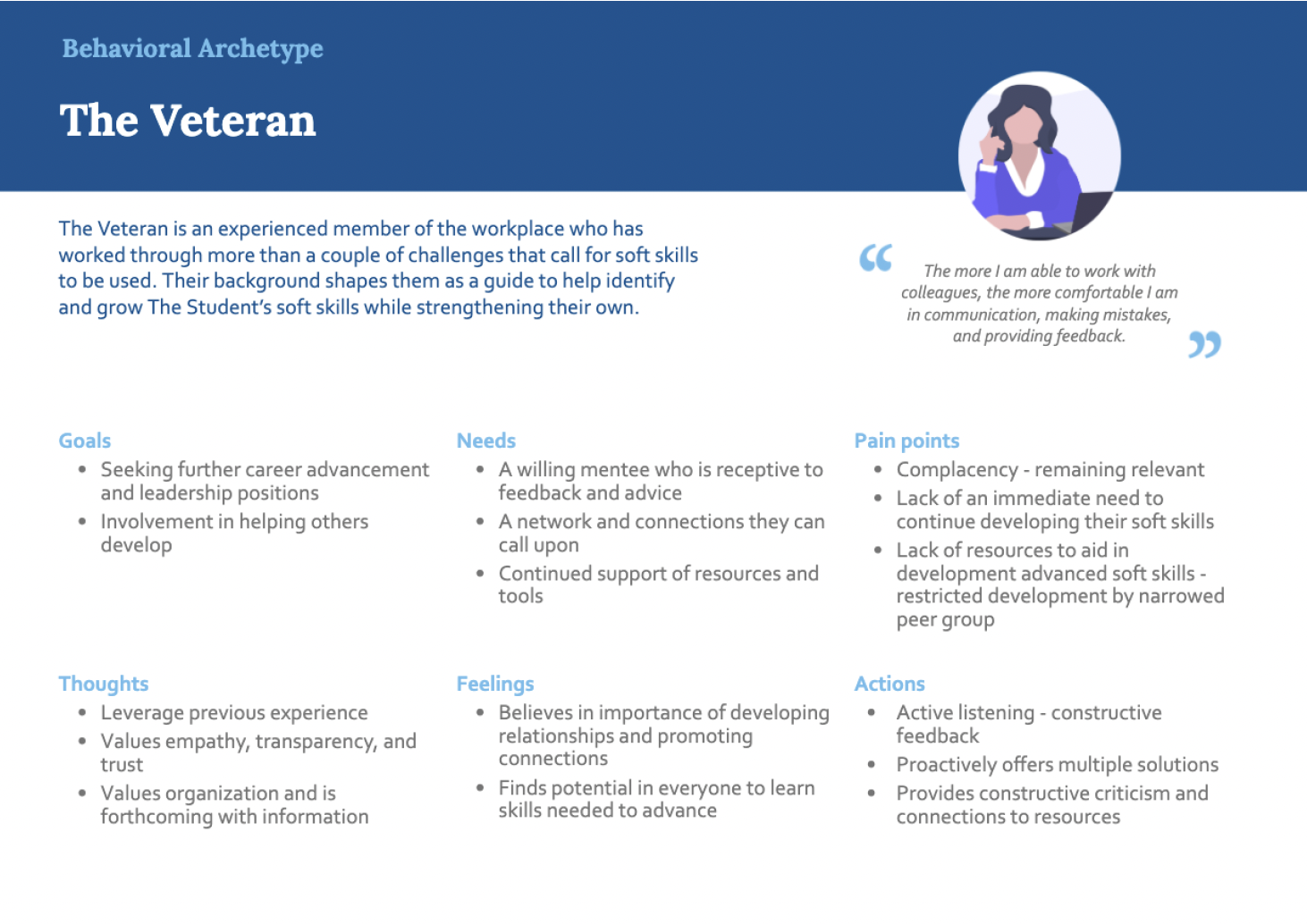
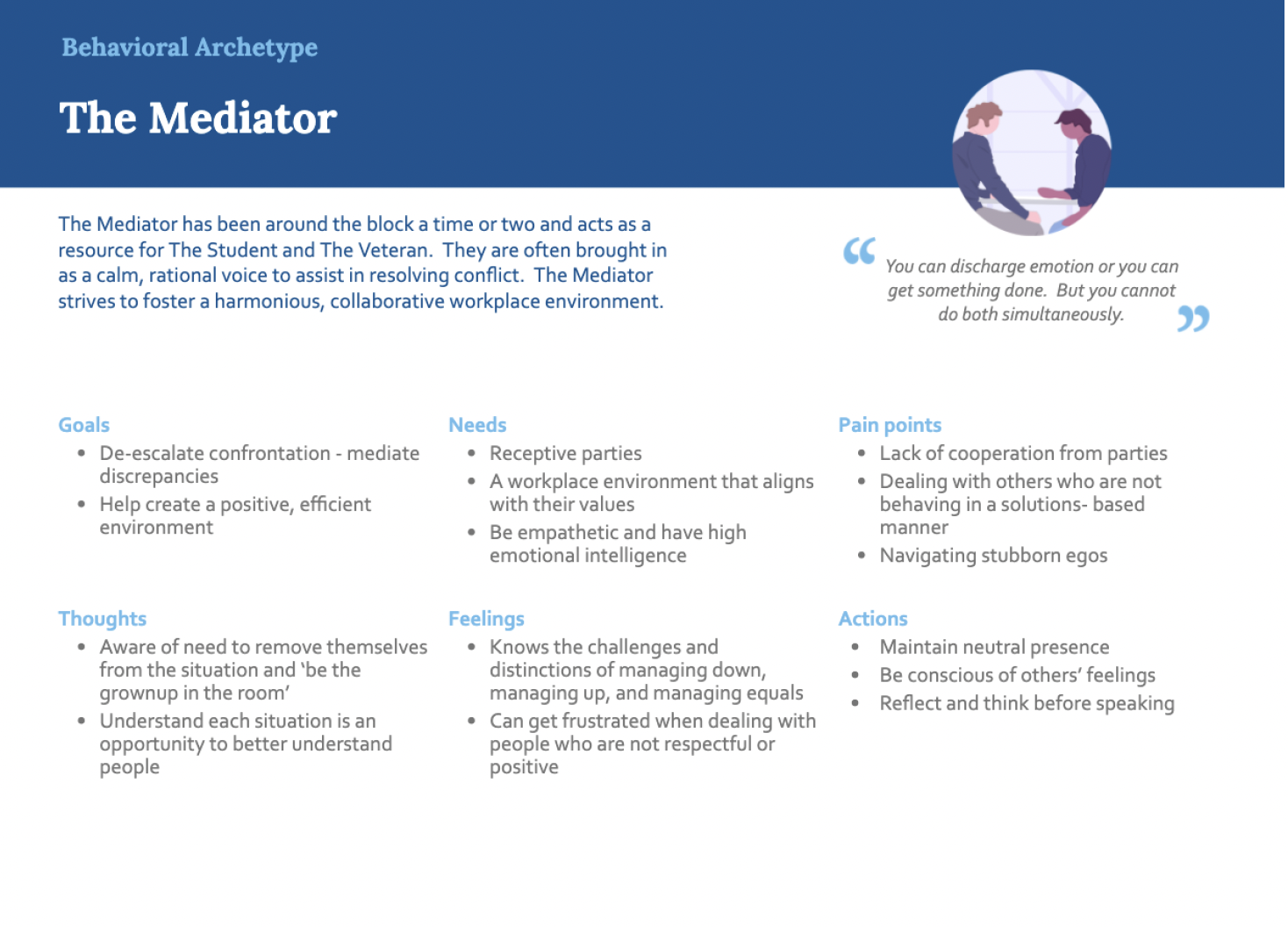
Three distinct behavioral archetypes emerged from our research—each with different motivations and barriers to soft skill development.
The Core Struggle: Conflict
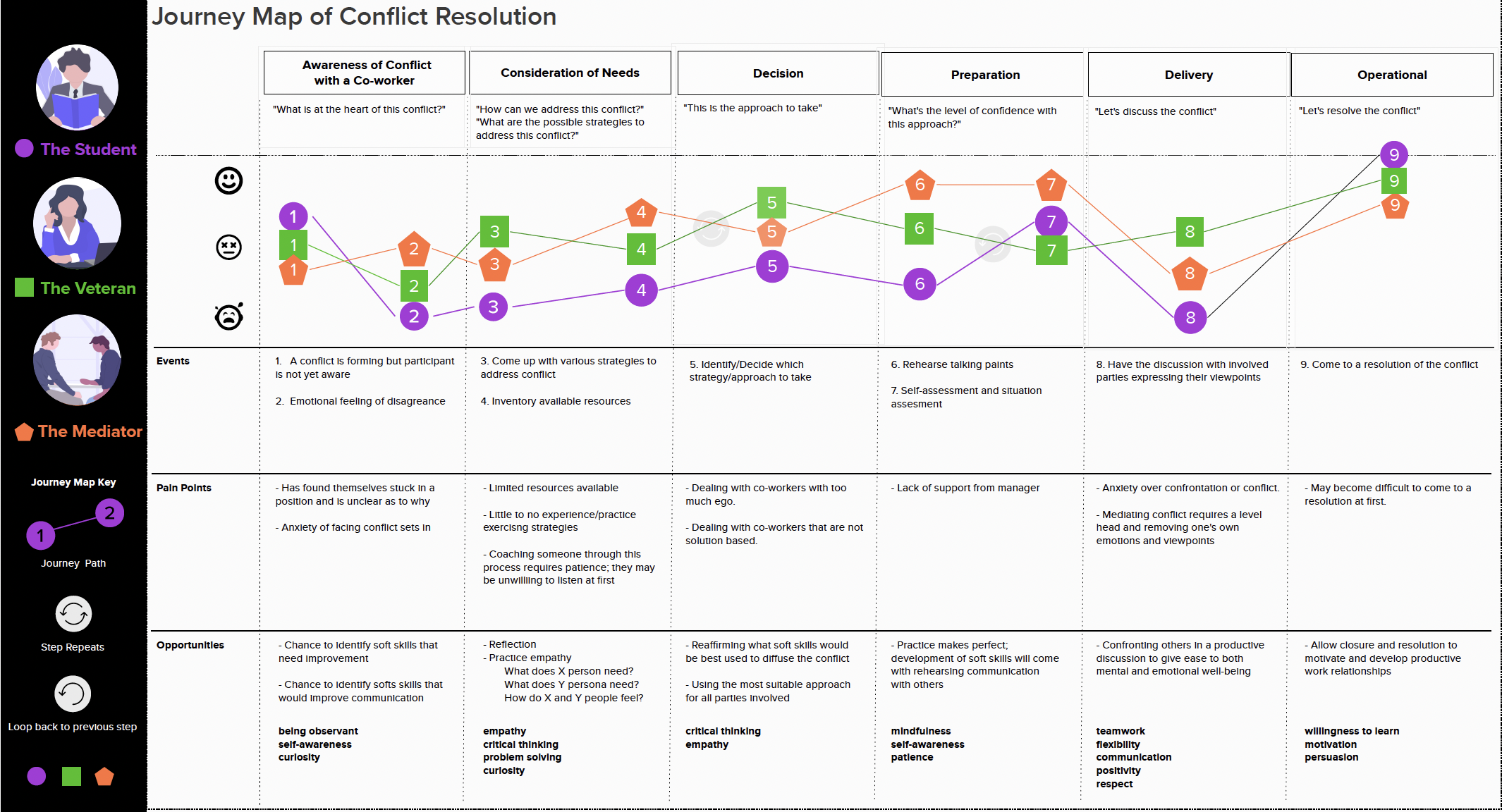
One skill stood out as the universal pain point across all archetypes: conflict resolution. We mapped the emotional journey through workplace conflict to identify intervention opportunities.
Ideation
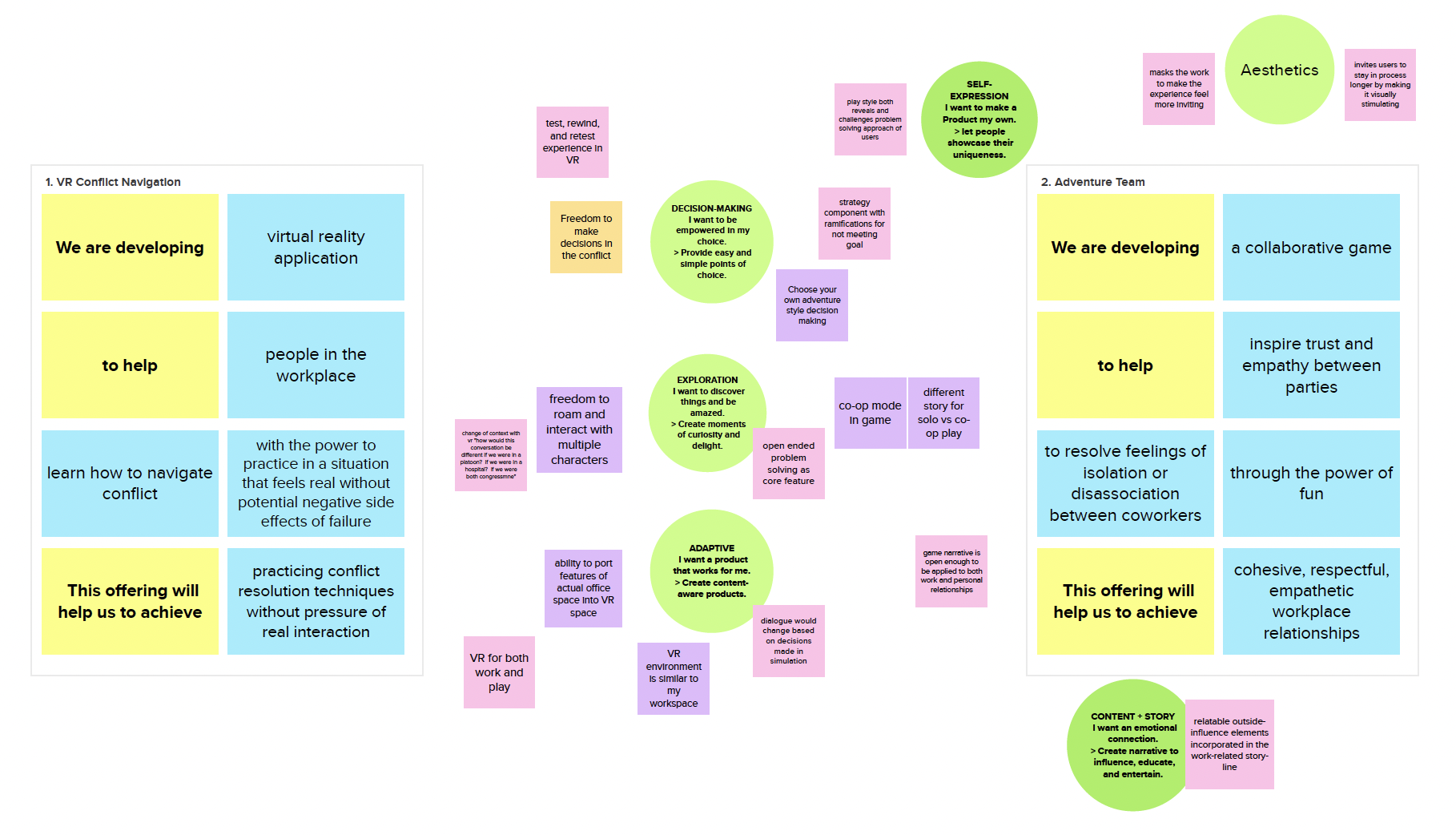
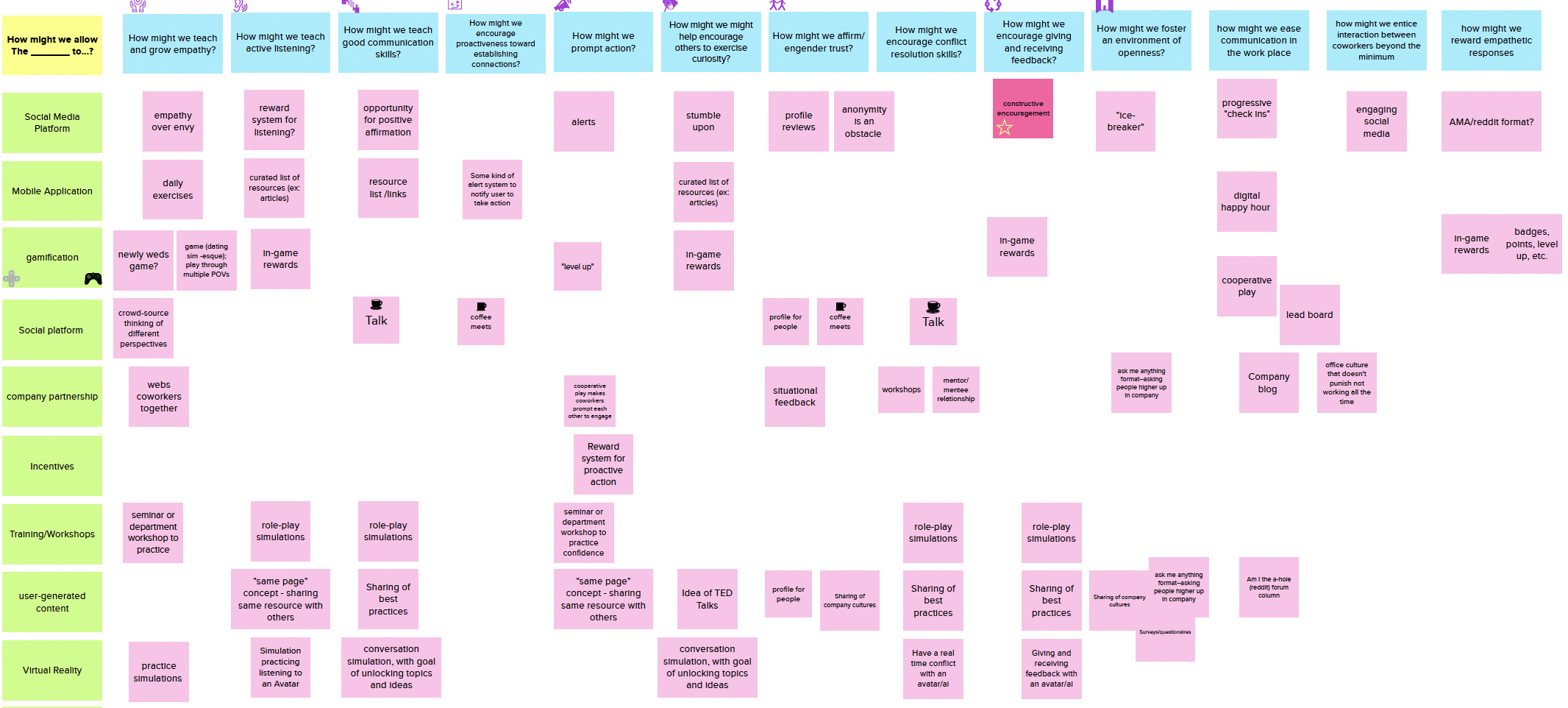
With research insights in hand, we explored potential solutions through value proposition worksheets and "How Might We" exercises.
The Solution
A mobile app that helps professionals identify their soft skill blind spots through peer feedback and guided exercises.
User Flows
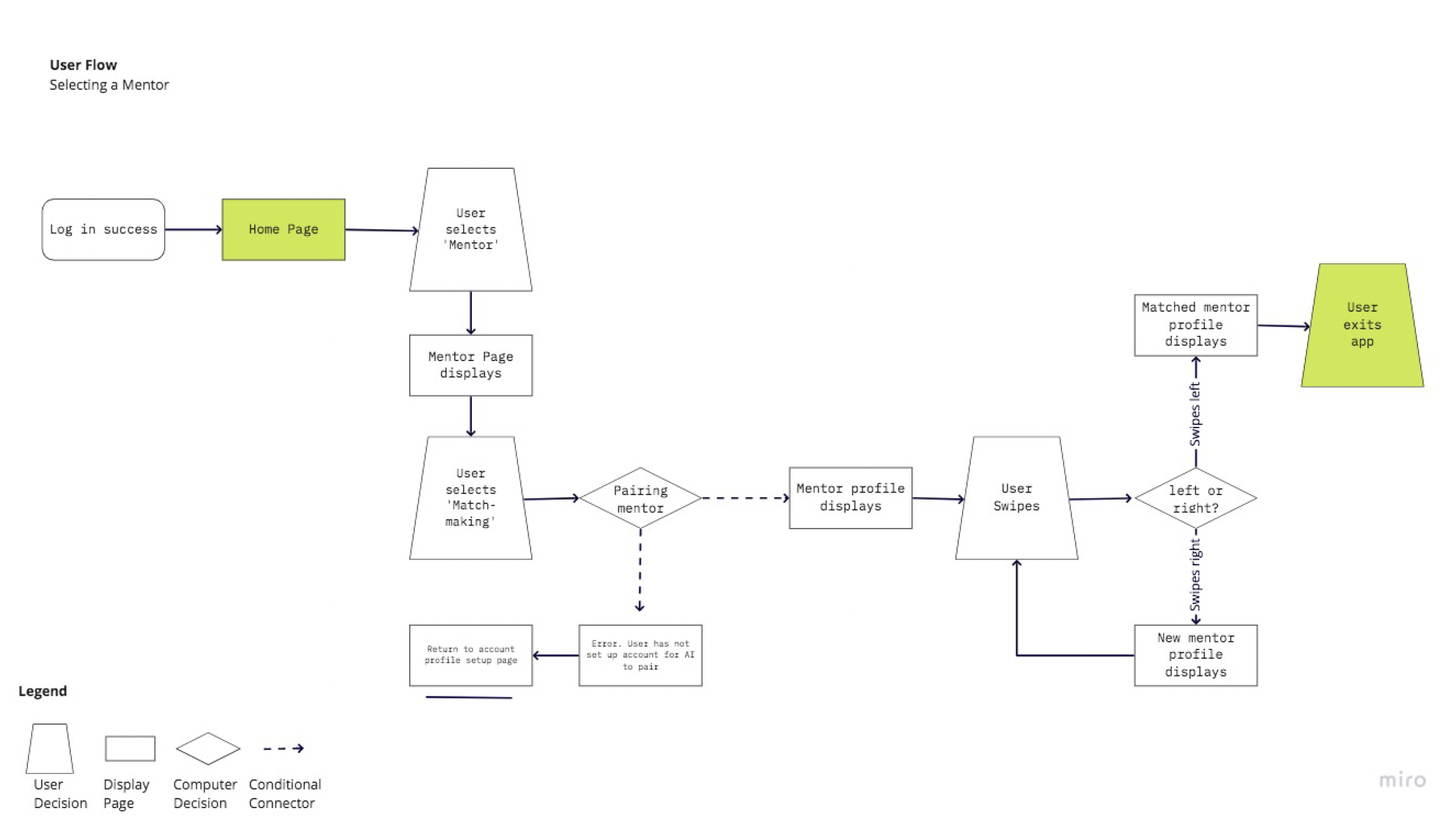
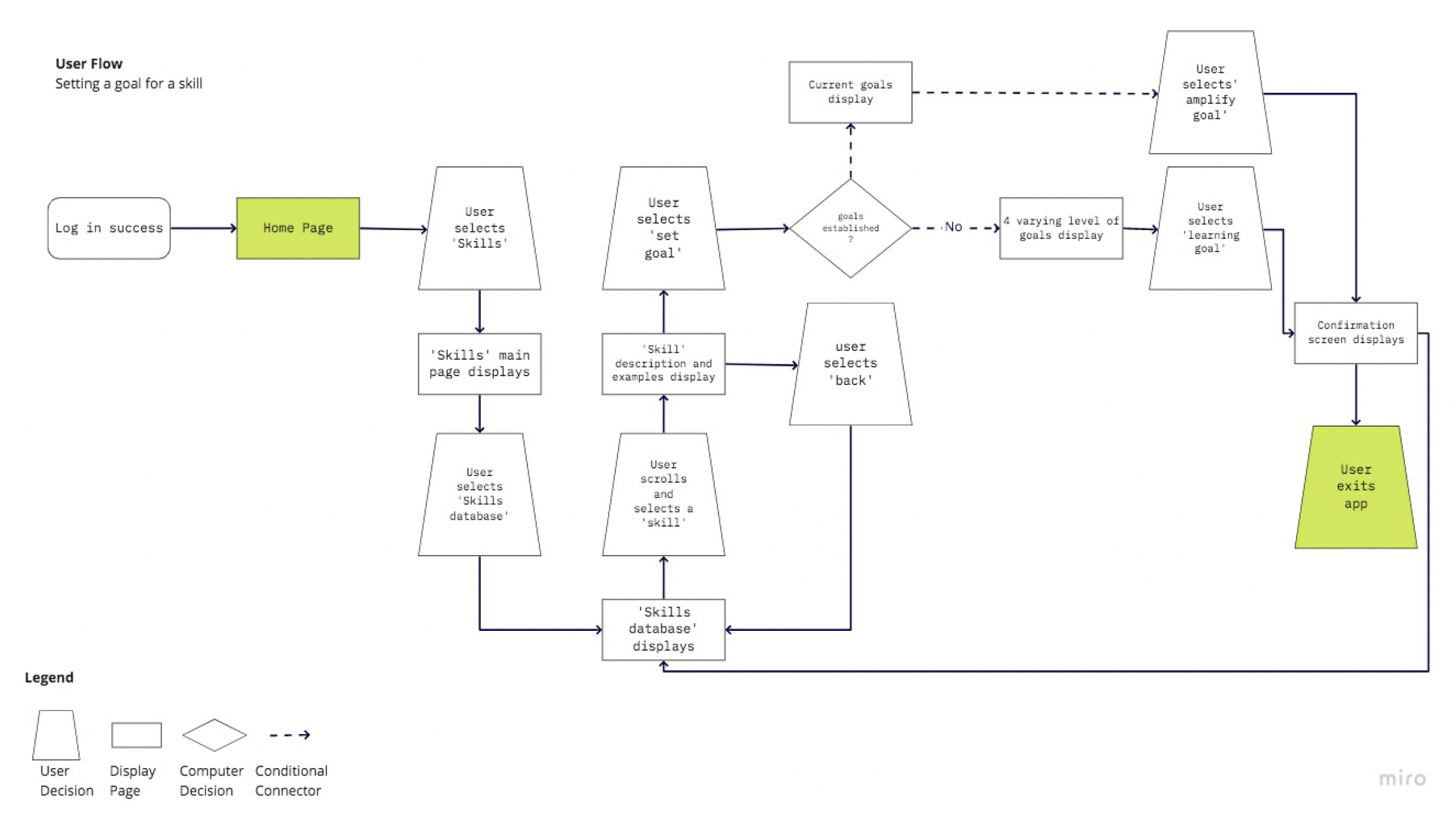
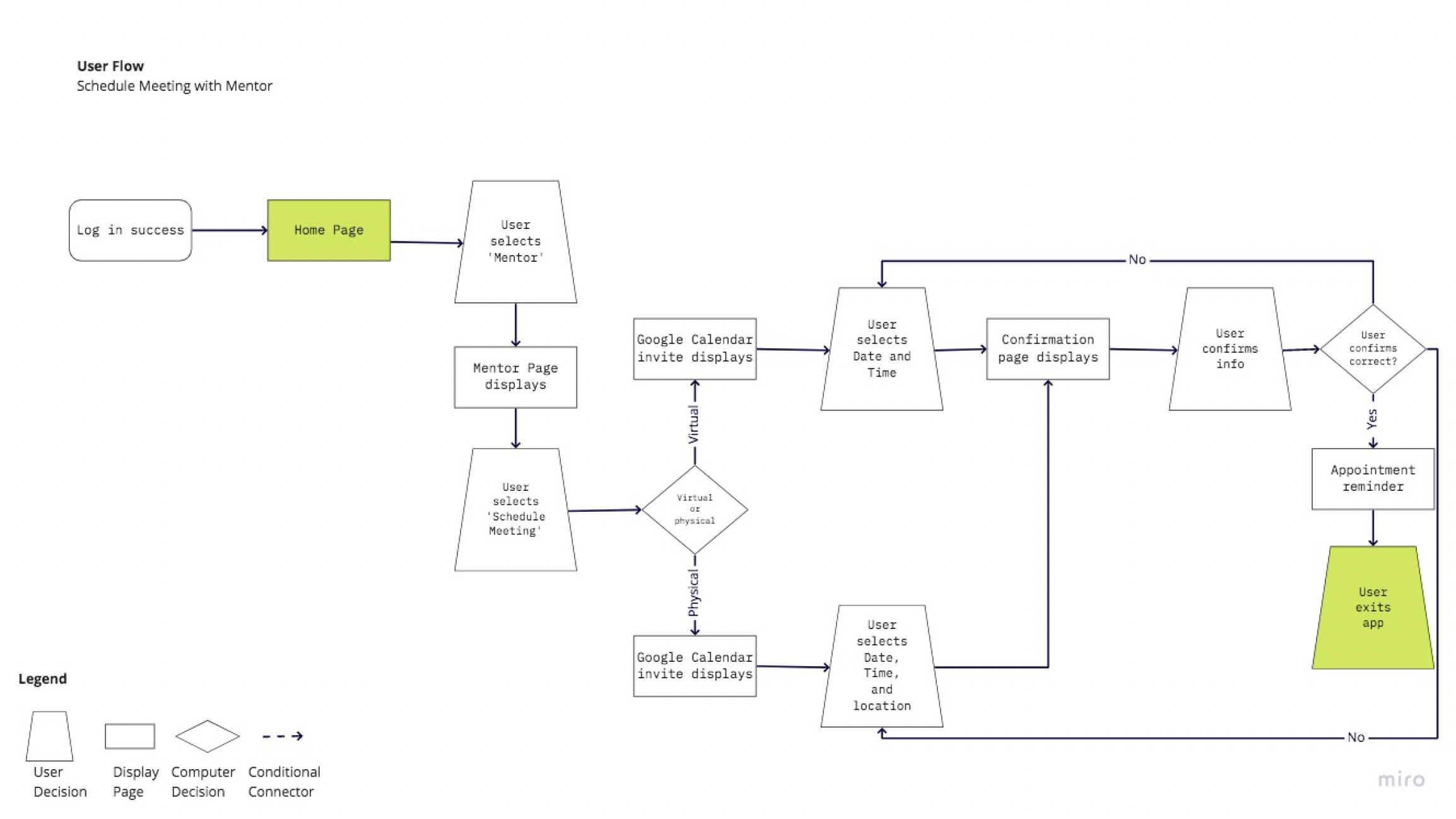
I mapped out the core journeys to ensure intuitive navigation through the app's key features.
Visual System
A cohesive design system ensured consistency and established the app's approachable, professional personality.
Primary Colors
Secondary Colors
Typography
Components
App Screens
Five screens showcase the core user experience—from the welcoming onboarding entry point to tracking progress, receiving peer feedback, completing skill-building exercises, and celebrating achievements.


Welcome
A clean, inviting entry point that communicates the app's focus on soft skill development.
Dashboard
The home screen provides a quick overview of weekly progress, completed exercises, and peer feedback received. Users can see their focus areas with progress bars showing development in each soft skill, alongside motivational streaks to drive engagement.
Great at mediating team disagreements. Could improve on addressing issues earlier before they escalate.
Peer Feedback
Anonymous peer reviews help users discover blind spots they can't see themselves. The breakdown uses visual bars rated by colleagues, trend indicators, and timestamped qualitative feedback quotes for deeper, actionable insight.
Your colleague publicly criticized your work in a team meeting. You feel embarrassed and frustrated.
What might have motivated their behavior?
Guided Exercise
Daily exercises provide structured practice through real-world scenarios. A step progress tracker, difficulty indicator, and rich text input help users reflect deeply on workplace situations through prompts designed by behavioral experts.
Achievements
Gamification drives long-term engagement. Users track their level, collect badges for completing challenges, and work toward milestones that celebrate their soft skill development journey with clear progress indicators.
What I Learned
As my first UX project, Skills taught me that great design starts with great research.
Research is Everything
Assumptions crumble under real user feedback. The insights that shaped our solution came from listening, not guessing.
Remote Works
Despite working across time zones, our team delivered cohesive research through structured async communication.
Process Builds Confidence
Following a structured methodology helped me make decisions with conviction, knowing they were backed by research.